junior week oct. 16th, 2025
had monday off, so shorter post this time.
the task
on tuesday, mr.christy told us that he had a job for me, miles, and jonas. that job was fixing the printer that graphic design had.

this is what it looks like. it's a roland soljet pro iii xc-540
the problem was that the printer was broken. it has been since june of 2025.
so we decided to go up and talk to mr. spagnola to figure out the issue
issue
there were two issues which we identified: 1. the fact that the printer wouldn't connect to the computer via ethernet cable 2. if it did, it would disconnect mid print, and leave an unfinished print
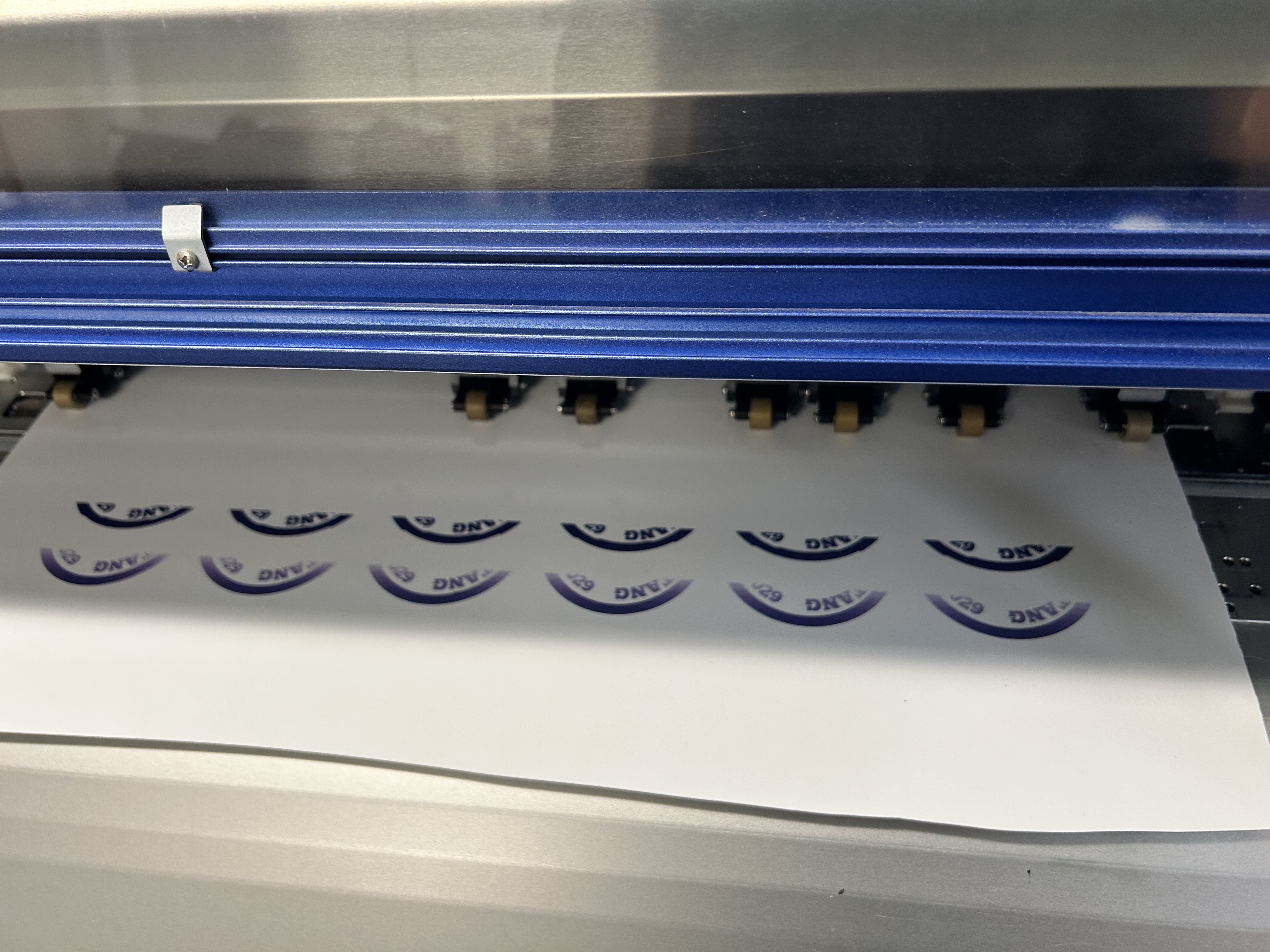
our "solutions"
we figured out that the ip that was on the computer didn't match the ip on the printer.
this was because the ethernet port wasn't flashing anything when connected, indicating that the printer wasn't recieving anything.
we didn't know how to adjust the printer's ip to fix this however, until miles accidently found it while clicking around in the menu. with this, we set the first three segments of the ip address to match the one on the computer, and set the final one as something slightly higher in case anything else already had that ip.
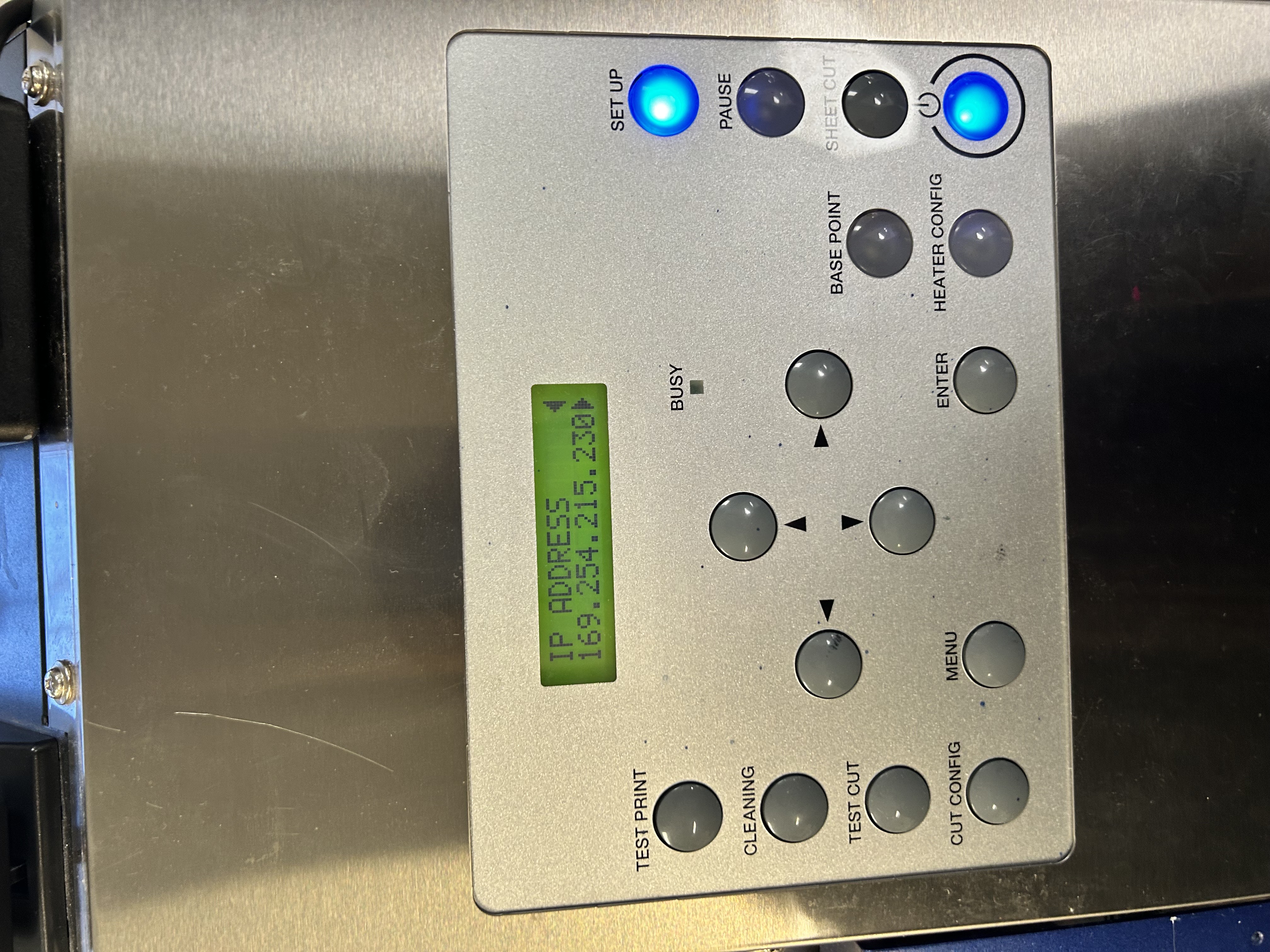
thanks to this, we were able to connect to the printer, so we started a test print to see if we could replicate the problem
as a result, we got the exact same error (refer back to the photo with the problem. the print above the first one was the print we did after we got the printer reconnected.)
i spent a bunch of time looking through a plethora of forms to see if i could find anyone with similar issues, and i did.
i found an instance where someone's printer (similar model, but slightly different) had a problem in which they fixed with a firmware update, which contained a ethernet driver update.
i then spent some time looking for the firmware, just to find that the printer model was already up to date. i did however find an ethernet driver, which i installed by accessing the printer's ip port.
with this all done, i tried another test print and found out that the printer was still disconnecting randomly, but this time it would still send a signal and recieve signals from the printer.
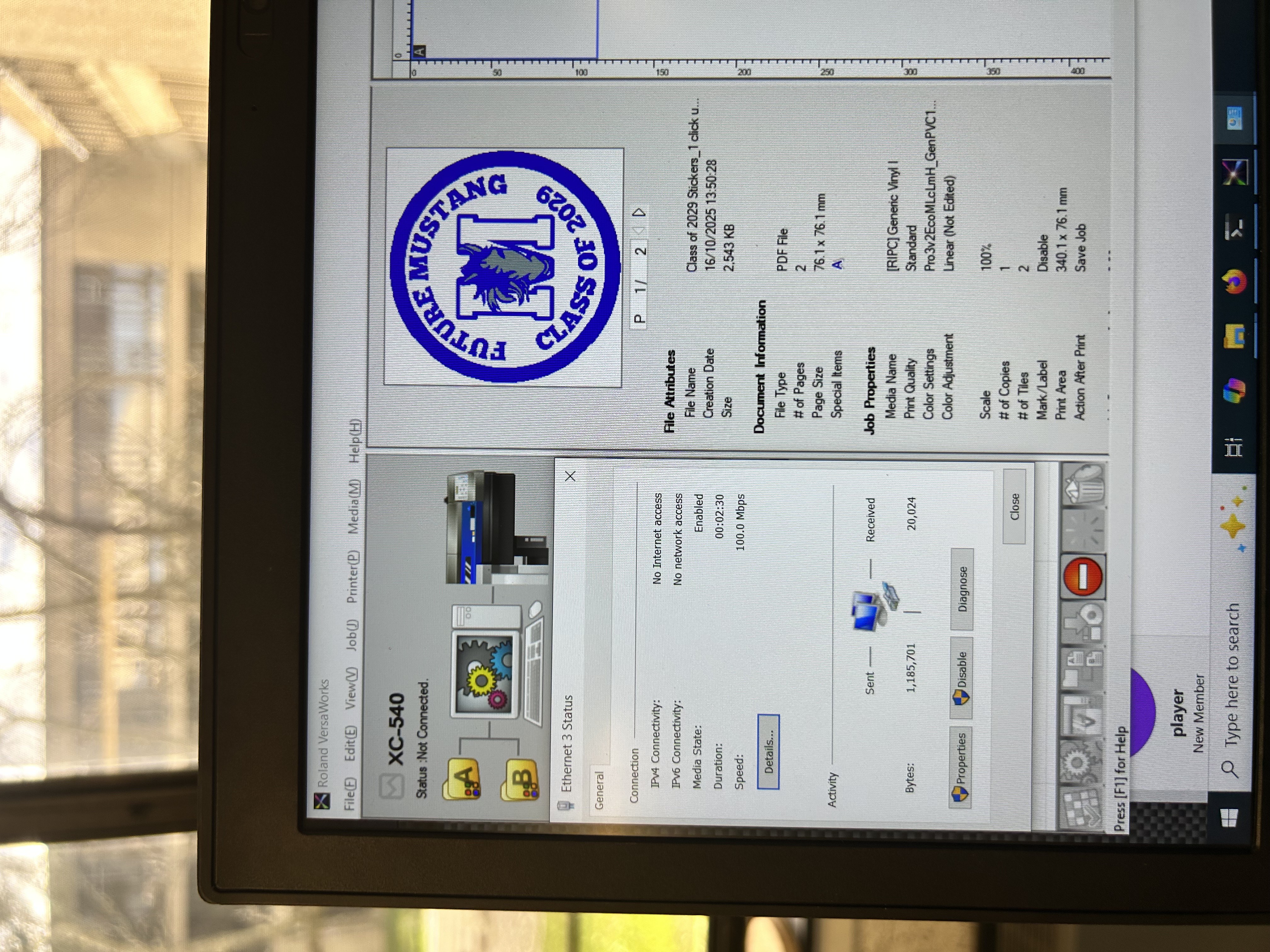
you can see that the printer status is "not connected" yet it was still recieving and sending data. i didn't take a video but trust me
still, since both devices were recieving signal, the bed was still heating up, and it started printing.
however, it just didn't print. it would forever say "processing" and never start.
i decided to see if i could find any logs, but couldn't find anything. i looked at the computers log instead, and found a potential issue
it turned out that windows security was blocking something. while it was a shot in the dark, i decided to turn it off.
i started another print, and these were the results
techincally this wasn't the first video i took. this was the second. i forgot to record the first
it worked... i wasn't expecting it to whatsoever. however, there were still some issues.
first and foremost, the print came out deformed slightly. not too sure why this happened, but i made another iteration (the one you see in the video) and got a similar result.
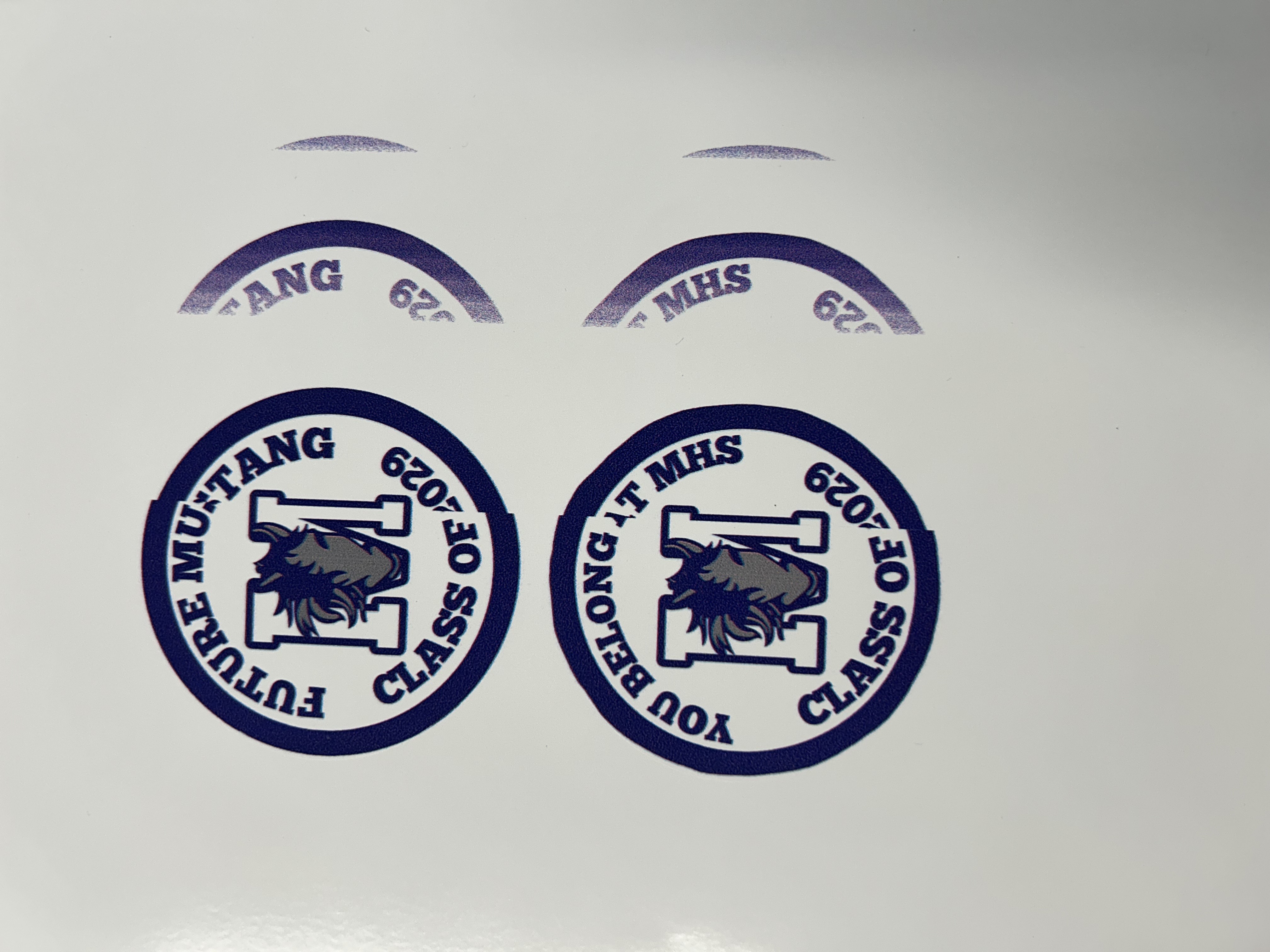
i'll have to refer to mr. spagnola to see if he has any ideas, but this is what it looks like.
the second problem was that the printer was still "disconnected" despite continuing to send and recieve data. after discussing with miles and mr.spagnola, we believed it could be a software issue, or a overheating issue.
for now though, the printer works (to some extent), but you have to always restart the printer before another print, which means waiting the extremely long time for the heater to heat up.
probably gonna keep working on this because a new motherboard costs $2,000, and i don't think anyone wants to pay that much.
also worked on macropad a bit. updates on that next week.